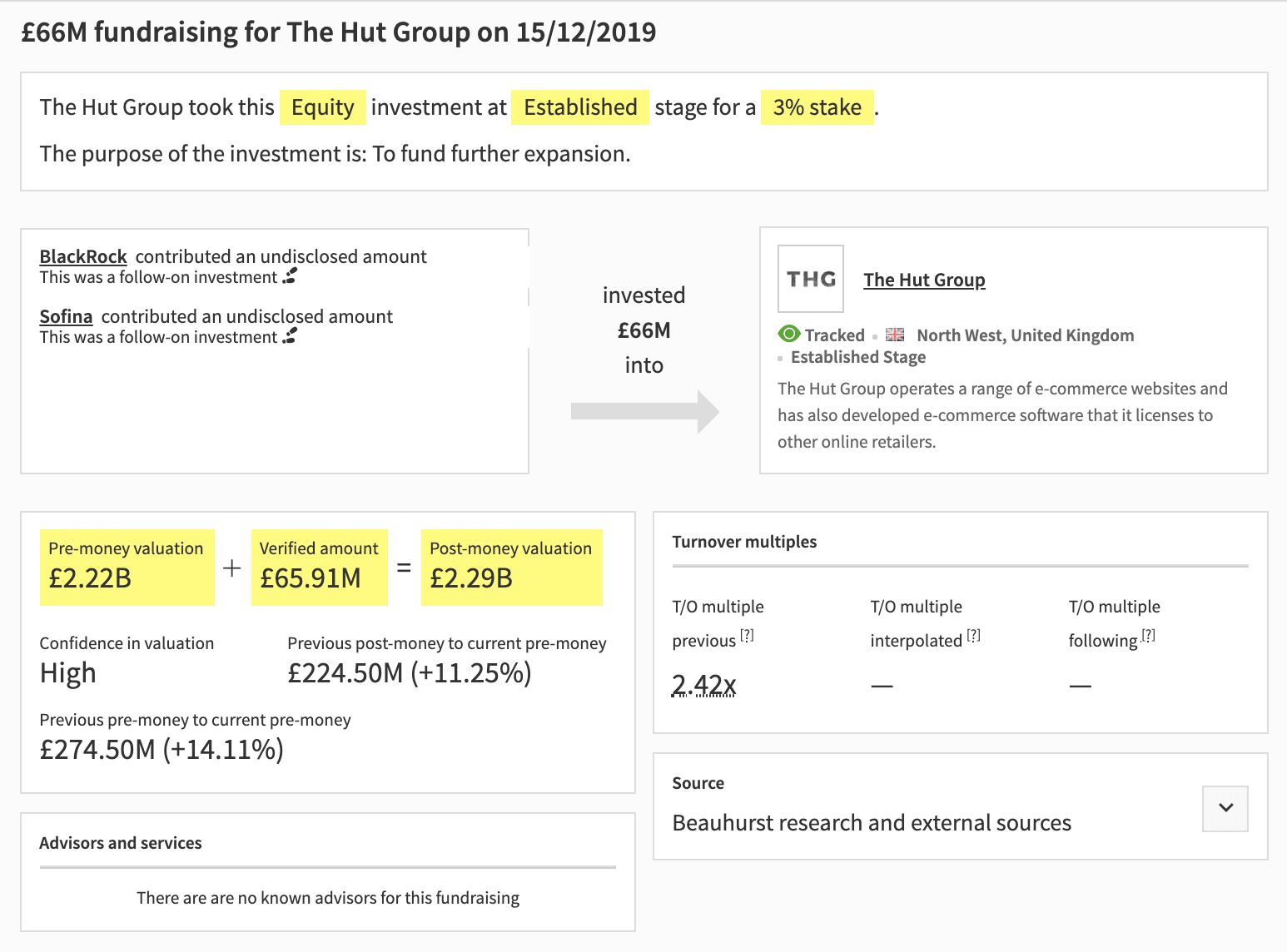
Share and compare
From a company’s profile, you can now quickly compare subsequent fundraisings using the Previous Fundraising and Next Fundraising tabs at the top of the popup. This makes it easier to have a complete overview of the most recent transactions relating to a company you’re exploring.
More space for more data
At Beauhurst we’re constantly innovating and collating more data for our subscribers. The result of this is that, over time, our existing infrastructure was starting to get a little crowded. Opening transactions up into separate windows is one way of making activity feeds and timelines a little easier to read, as well as expanding the scope for greater information on transactions in the future. Watch this space..!
Where do transactions appear?
Transactions that will now have their own standalone page or modal (popup) are fundraisings, grants, MBOs and MBIs, corporate and academic spinouts, and exits including IPOs and acquisitions. Users will see a modal (popup) view of these transactions when they click on a transaction in any of the following areas of the platform:
- Company profile
- Fund profile
- My Clients
- Accelerator pages
Similarly, users will see a stand-alone page when they click on a transaction in any of the following areas:
- Advanced Search results
- Global search results
- My Collections
- Home page/dashboard
If you’re a Beauhurst user and have any questions about how transaction pages will affect how you work, feel free to reach out to your friendly account manager who will be more than happy to help.